Long stream in.
Viral clips out.
Clip streamers. Post daily. Get paid for the views.
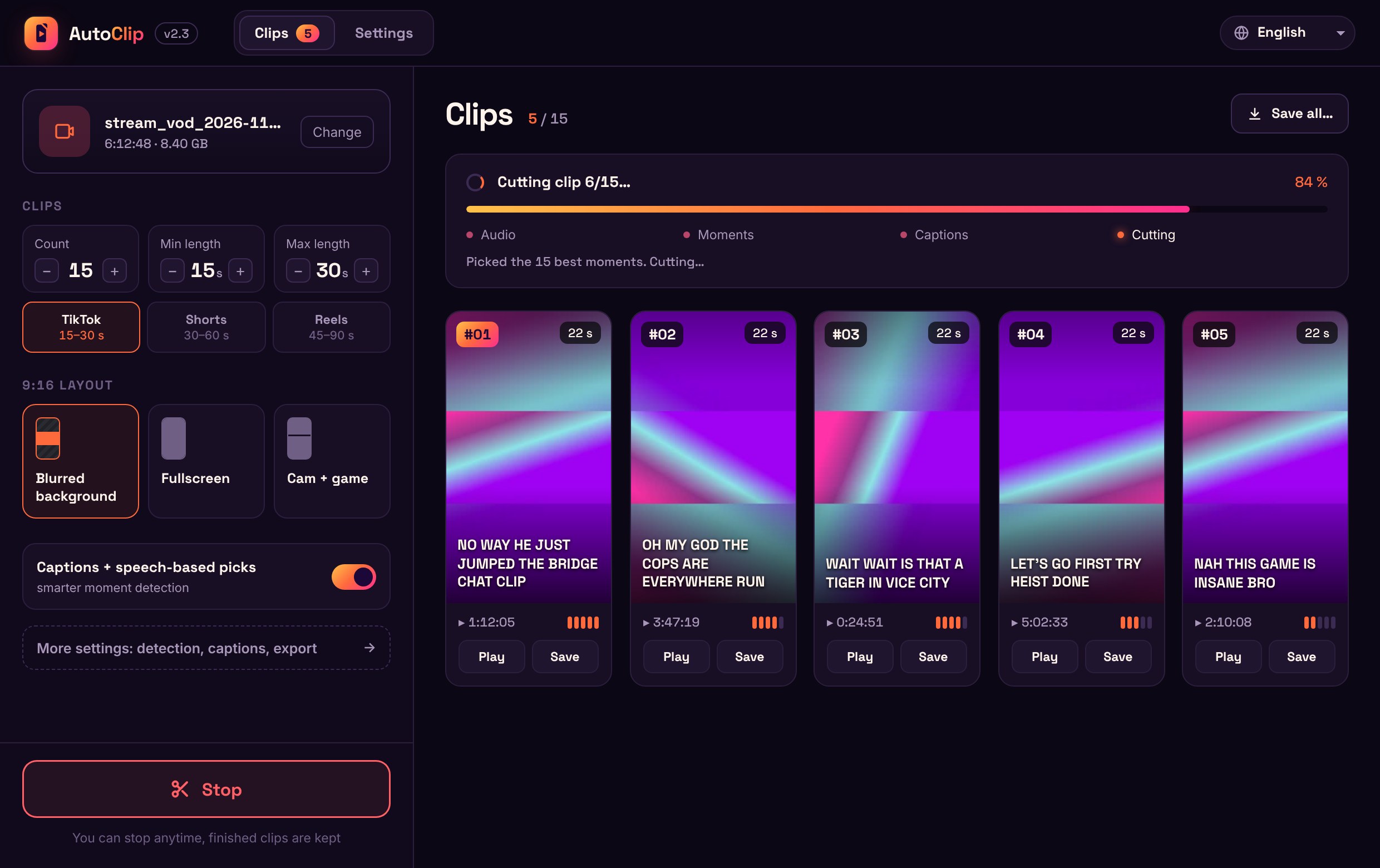
AutoClip finds the best moments in the stream, crops them to vertical 9:16 and adds animated captions. It runs on your own PC, so there are no storage limits and nothing to upload.
Try 5 clips free · $9.99 one-time · No subscription
Exports ready for TikTok · YouTube Shorts · Instagram Reels
For clippers
Clip. Post. Get paid.
Streamers and brands pay clippers for views. AutoClip does the cutting, you just post.
STEP 1
Join a campaign
Pick a clipping campaign on a platform like Whop Content Rewards and grab the footage it allows.
STEP 2 · AUTOCLIP
Clip it in minutes
Drop the stream in. Get a stack of vertical clips with captions, ranked best first.
STEP 3
Post everywhere
Upload the best ones to TikTok, YouTube Shorts and Instagram Reels. More posts, more chances to hit.
STEP 4
Get paid for views
Submit your links to the campaign. It pays out for the verified views your clips bring in.
Payouts are set by each campaign and depend on its rate, its rules and your verified views. AutoClip isn't affiliated with any campaign platform.
Features
Everything a clip needs to go out today.
Smart moment detection
Finds the laughs, yells and jump scares, then picks the strongest moments.
Compare
Same clips. A fraction of the price.
Cloud clippers charge more and often cap how much video you can process. Three 3-hour streams a week is about 36 hours of VOD a month. With AutoClip it's all included for a one-time $9.99.
| AutoClip | OpusClip Starter | Eklipse Premium | |
|---|---|---|---|
| Price | $9.99 once · 5 clips free | $15 / month | $24.99 / month |
| Video included | Unlimited | 150 minutes / month | Unlimited |
| Where it runs | Your PC | Cloud | Cloud |
| Upload your VOD first | No | Yes | Yes, or link your channel |
Competitor prices and limits from their public pricing pages, November 2026. Check their sites for current terms.
Pricing
Pay once. Clip forever.
Buy it straight away, or make your first 5 clips for free first. No card needed for the trial.
Free trial
See what AutoClip finds in your own stream.
$9.99$0
Your first 5 clips are on us. No card needed.
- 5 clips free
- Every feature unlocked
- Upgrade to Pro anytime
AutoClip Pro
For streamers and clippers who post daily.
$9.99 one-time
Pay once, keep it forever. No subscription.
- Unlimited clips and hours of video
- All layouts, caption styles and fonts
- Your own watermark, or none
- 60 FPS and high-quality export
Questions
Can I try it for free?
Yes. Download AutoClip and make 5 clips for free, with every feature unlocked. After that, AutoClip Pro is a one-time $9.99. You can also buy it straight away.
Does AutoClip upload my videos?
No. Everything runs on your PC. Your videos and clips stay on your computer.
What do I need to run it?
A Windows 10 or 11 PC. No Mac version yet. A stronger PC makes long streams go faster.
Does it post to TikTok for me?
Not yet. Auto-posting is coming. For now you save the clips and upload them yourself.